<html lang="zh-cn">
<head>
<meta charset="utf-8">
<title>头条搜索极速版怎么加人 - 欧远全</title>
<meta name="keywords" content="头条搜索极速版怎么加人" />
<meta name="description" content="头条搜索极速版怎么加人？打开头条搜索极速版，在别人用户名右侧，选择关注，可以加人。点击别人的用户名，在个人主页，也能关注加人。" />
<meta name="applicable-device"content="pc,mobile">
<meta http-equiv="Cache-Control" content="no-siteapp" />
<meta http-equiv="Cache-Control" content="no-transform" />
<meta name="robots" content="index,follow,noodp,noydir" />
<meta name="viewport" content="width=device-width,minimum-scale=1,initial-scale=1">
<link rel="shortcut icon" href="http://www.ouyuanquan.com/favicon.ico" />
<link rel="stylesheet" href="http://www.ouyuanquan.com/style.css" type="text/css"/>
<link rel='prev' title='头条搜索极速版怎么绑定抖音' href='http://www.ouyuanquan.com/7760.html' />
<link rel='next' title='头条搜索极速版怎么举报' href='http://www.ouyuanquan.com/7768.html' />
<link rel="canonical" href="http://www.ouyuanquan.com/7764.html" />
</head>
<body>
<div class="header">
	<div class="logo">
		<a href="http://www.ouyuanquan.com/"><img src="http://www.ouyuanquan.com/images/logo.png" alt="欧远全" /></a>
	</div>
</div>
<div class="position"><a href="http://www.ouyuanquan.com/">首页</a> > <a href="http://www.ouyuanquan.com/zixun/" rel="category tag">资讯</a> > 正文</div>
<div class="list">
	<h1>头条搜索极速版怎么加人</h1>
	<span>更新时间:2026-03-03 11:21:25 发布时间:1043天前 阅读:4,723次</span>
	<p><strong>头条搜索极速版怎么加人？</strong>打开头条搜索极速版，在别人用户名右侧，选择关注，可以加人。点击别人的用户名，在个人主页，也能关注加人。</p>
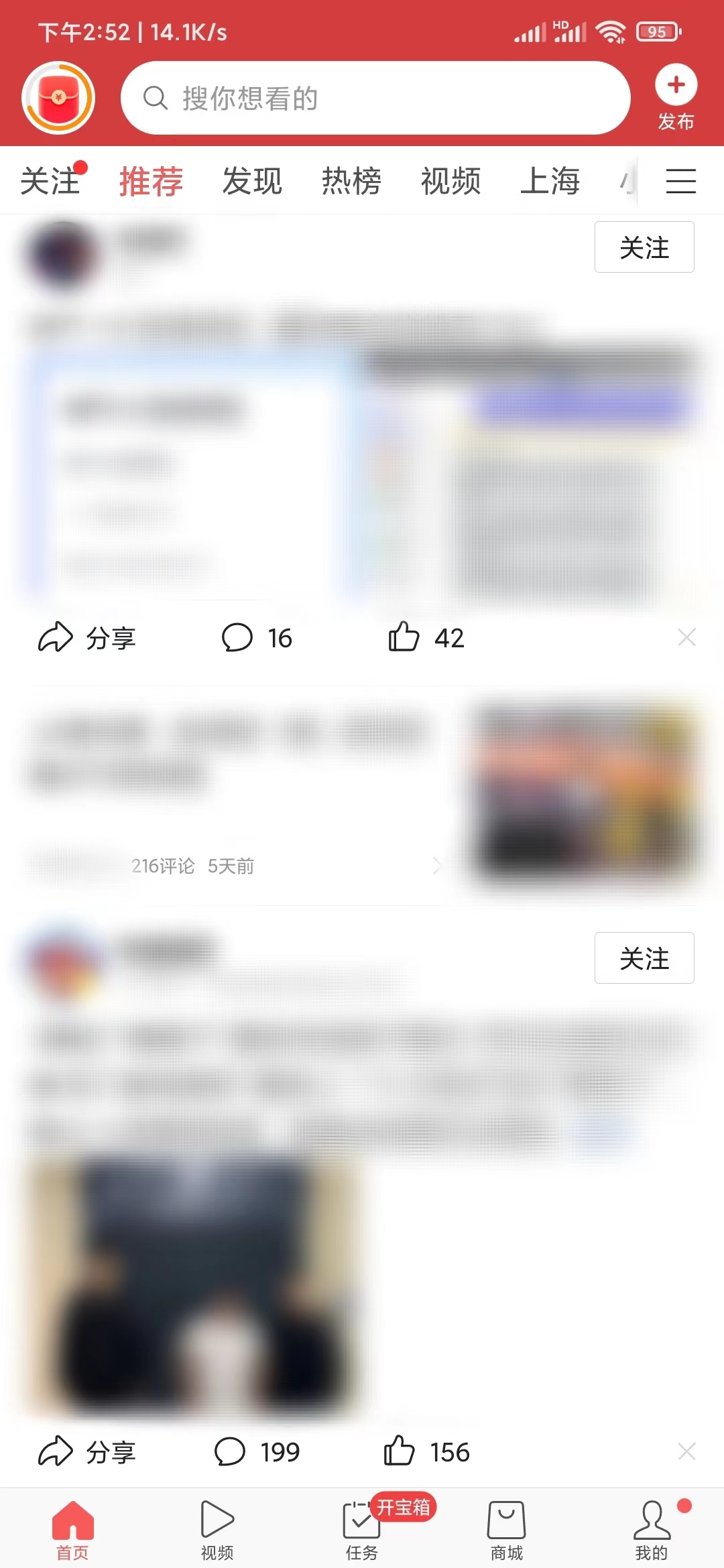
<p>1.打开头条搜索极速版，在首页浏览时，在信息中，有资讯、用户名等。在别人用户名的右边，有关注按钮。选择以后，就关注对方了，相当于加人了；</p>
<p><img fetchpriority="high" decoding="async" src="http://www.ouyuanquan.com/images/2023/04/24.jpg" alt="头条搜索极速版首页关注加人" width="1080" height="2340" /></p>
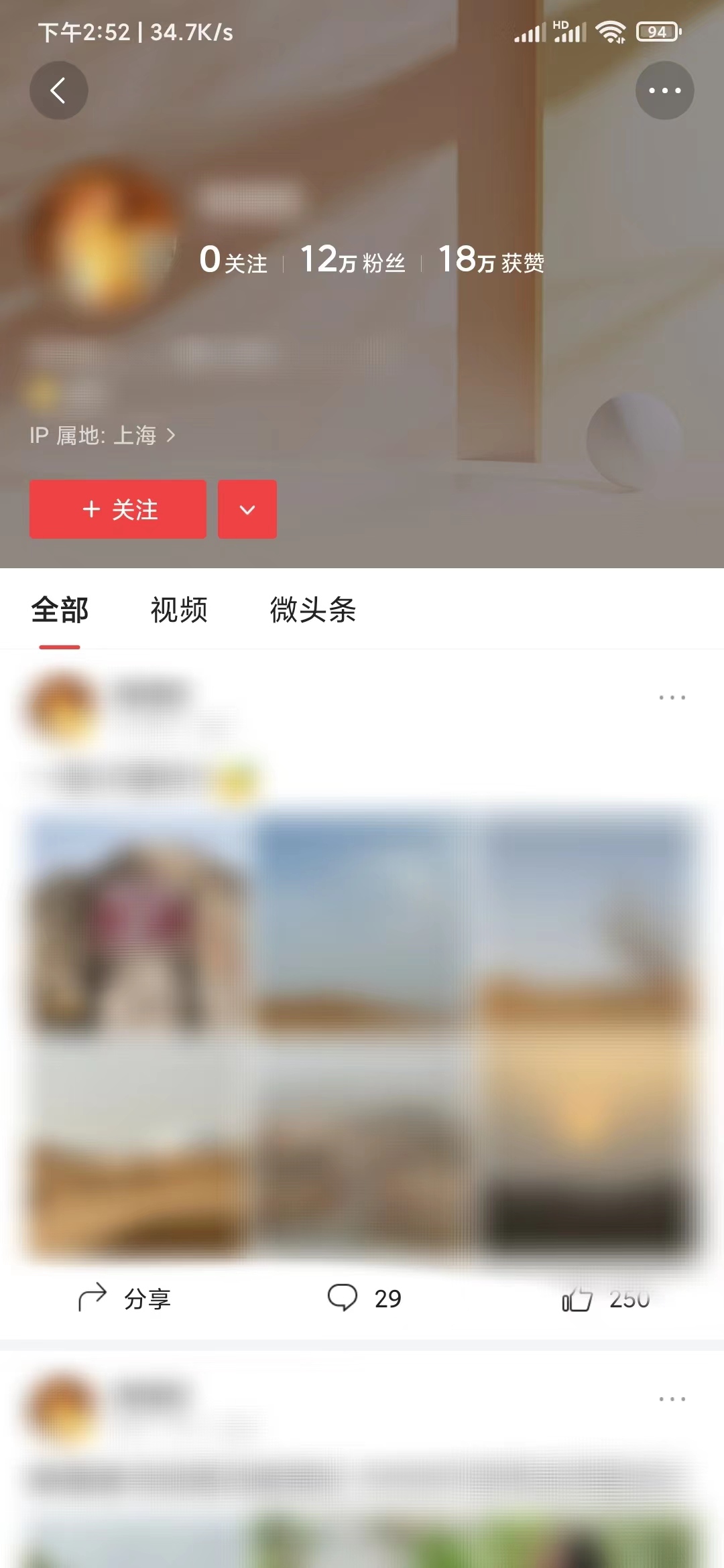
<p>2.点击别人的用户名，到对方的个人主页。在左边靠上位置，也有关注按钮。选择后，显示已关注。之后，点击我的-头像-关注，可以查看刚加到的人。</p>
<p><img decoding="async" src="http://www.ouyuanquan.com/images/2023/04/24-1.jpg" alt="头条搜索极速版个人主页加人" width="1080" height="2340" /></p>
</div>
<div class="list">
	<ul>
		<li>
			<a href="http://www.ouyuanquan.com/7165.html">头条搜索极速版怎么没有任务栏</a>
			<img loading="lazy" src="http://www.ouyuanquan.com/images/2022/03/27-4.jpg" alt="头条搜索极速版怎么没有任务栏" width="194" height="120" />
						<p>头条搜索极速版怎么没有任务栏？在头条搜索极速版，点击“我的-设置”，选择“任务设置”。打开下面的任务开关，任务栏就出现了。...</p>
<span>2022-03-28</span>			
		</li>
		<li>
			<a href="http://www.ouyuanquan.com/9060.html">今日头条怎么退出同城</a>
			<img loading="lazy" src="http://www.ouyuanquan.com/images/2024/02/4.jpg" alt="今日头条怎么退出同城" width="194" height="120" />
						<p>今日头条怎么退出同城？打开今日头条，点击城市名。选择切换城市，点选其他城市，退出同城。
1.在今日头条首页，点击上方导航...</p>
<span>2024-02-04</span>			
		</li>
		<li>
			<a href="http://www.ouyuanquan.com/9056.html">头条搜索极速版怎么解绑银行卡号</a>
			<img loading="lazy" src="http://www.ouyuanquan.com/images/2024/02/3.jpg" alt="头条搜索极速版怎么解绑银行卡号" width="194" height="120" />
						<p>头条搜索极速版怎么解绑银行卡号？打开头条搜索极速版，点击我的。选择钱包，点击支付管理。选择我的银行卡，点击绑定的银行...</p>
<span>2024-02-03</span>			
		</li>
		<li>
			<a href="http://www.ouyuanquan.com/9051.html">今日头条怎么生成文章链接</a>
			<img loading="lazy" src="http://www.ouyuanquan.com/images/2024/02/2.jpg" alt="今日头条怎么生成文章链接" width="194" height="120" />
						<p>今日头条怎么生成文章链接？打开今日头条，阅读文章。点击分享，滑动按钮，复制链接。或者点击&#8230;，滑动按钮，选择复制链...</p>
<span>2024-02-02</span>			
		</li>
		<li>
			<a href="http://www.ouyuanquan.com/9047.html">今日头条怎么设置可以评论</a>
			<img loading="lazy" src="http://www.ouyuanquan.com/images/2024/02/1.jpg" alt="今日头条怎么设置可以评论" width="194" height="120" />
						<p>今日头条怎么设置可以评论？打开今日头条，点击我的。选择文章，点击&#8230;。选择评论管理，点选所有人。
1.在今日头条，点...</p>
<span>2024-02-01</span>			
		</li>
	</ul>
</div>
<div class="footer">
	<p>© 2023 OUYUANQUAN.COM</p>
	<p><a href="http://beian.miit.gov.cn/" rel="nofollow" target="_blank">沪ICP备17024457号</a></p>
</div>
<script src="http://www.ouyuanquan.com/style.js"></script>
</body>
</html>